
A contractor needs access to finish a project. Three months later, the work is complete, but nobody is sure whether the account still works. A short access register can make that question easier to answer.
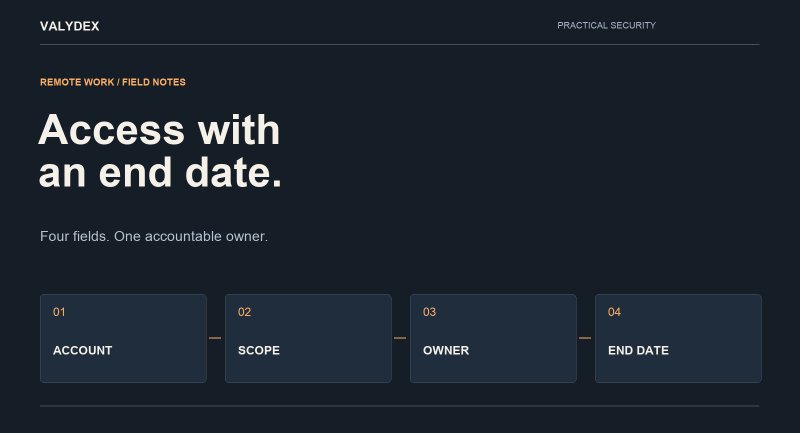
Before granting access, record four fields. They connect a technical permission to a business purpose and a person responsible for it.
The four fields
- Named account. Identify the individual account used for the work. Avoid a shared login that makes it difficult to tell who used it.
- Allowed systems. List the applications, folders or remote connections the contractor needs. Describe the permission level as well as the destination.
- Internal owner. Name the person who approves the business need and confirms the access ends. The IT provider can implement the change; the business still needs an accountable owner.
- End date. Set a specific expiry or review date. Extend access deliberately when the work continues, rather than leaving it open by default.
A useful rule: temporary work should have a recorded end or review date before access is granted.
A worked example
Imagine a bookkeeper helping with a month-end close. The account is named for the bookkeeper. Its scope is the accounting application and the agreed document folder, with no unrelated administrator access. The finance lead owns the record. The review date is the first business day after the assignment ends.
This is an illustrative example, not a customer case. Your required permissions and review date will depend on the work and the systems involved.
Copy this register entry
- Account/person: _____
- Allowed systems and permission level: _____
- Internal owner: _____
- End or review date: _____
Keep the register in an approved internal location. Record account identifiers and permissions; do not store passwords or recovery codes in it.
The exit check
When the work ends, use the register to check the places where access was granted. Do not assume disabling one account removes every way into every application.
- Remove or disable the agreed accounts and permissions.
- Review active sessions, remote-access permissions and shared links where applicable.
- Reassign business files or application ownership that would otherwise be left with the contractor.
- Review any shared credentials they could still know; change affected credentials where appropriate.
- Record the date, the person who checked and any exceptions that still need action.
Pair the register with your remote-work baseline
A register is one part of the process. MFA, supported devices, updates and the boundary between business and personal data still need attention. Agree on those requirements before work begins, especially when contractors use their own devices.
The Valydex remote-work security guide explains the broader baseline. Use this companion checklist to put its access-control advice into a routine your team can repeat.
A useful task this week: choose one current contractor and confirm all four fields are present.